The Writing Surface
Designed For Your Agent.
One editor for writing and publishing. Your agent drafts in your voice. You approve every word with a keystroke. Then post to X or send to your subscribers, from the same pad.
One command installs the skill, configures MCP, and opens the editor.
 Claude Code
 Codex CLI
 OpenCode
 Cursor
 Windsurf
 Copilot
 VS Code
 Zed
ZedYour AI Writes. You Stay The Author.
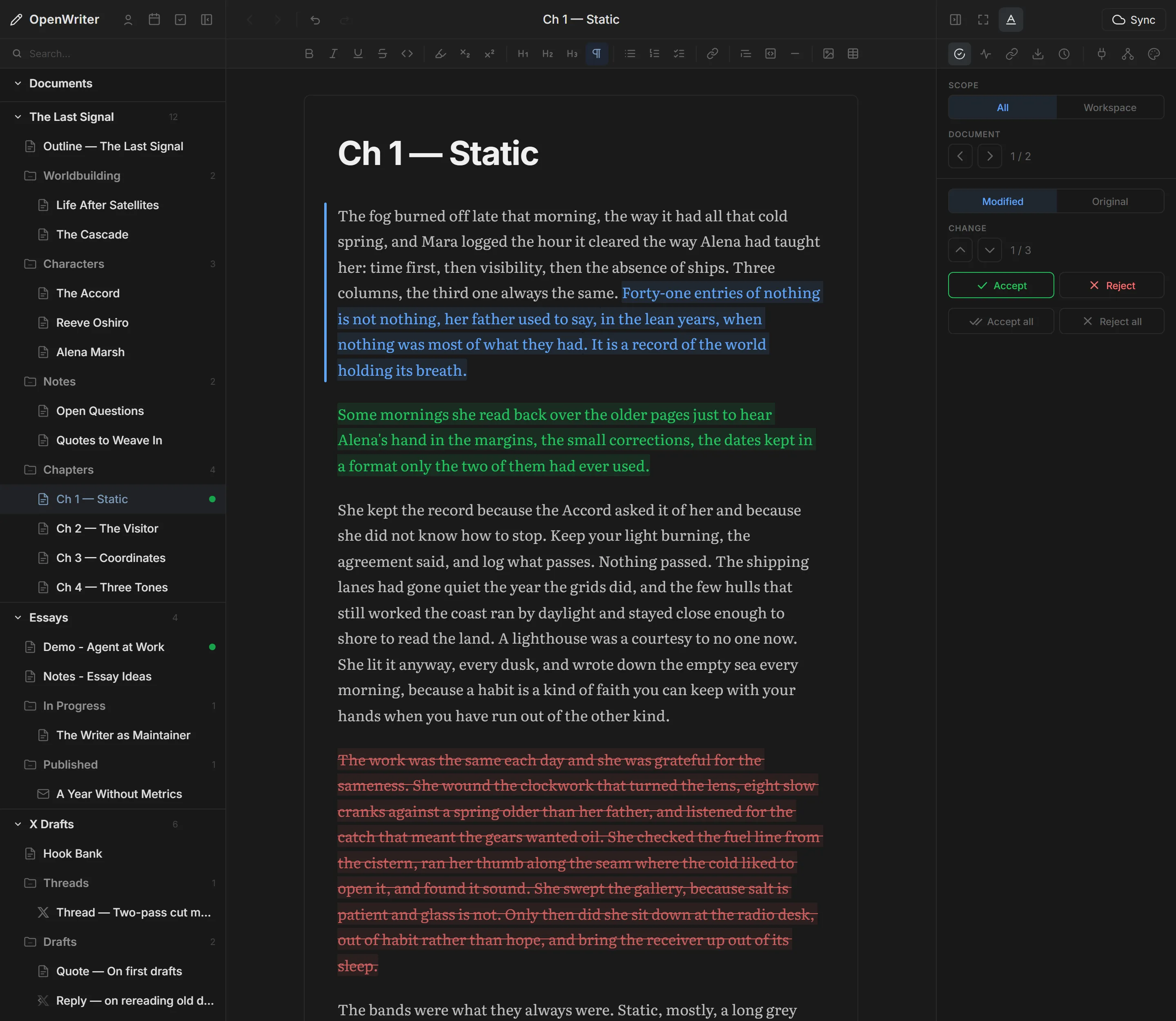
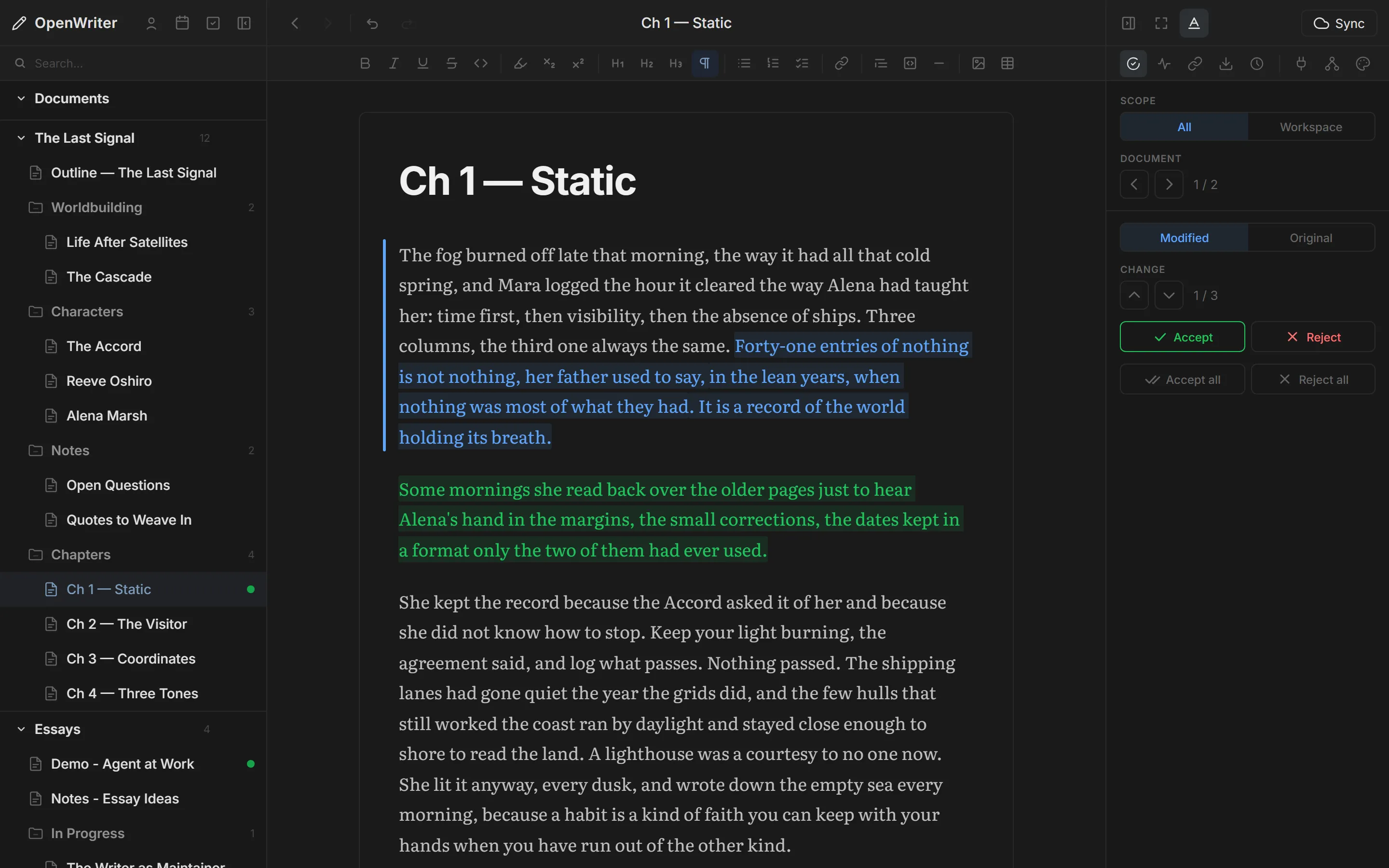
Changes arrive as colored decorations — green inserts, blue rewrites, red deletes. Hit a to accept, r to reject, Shift+A to take it all. Every word that ships is a word you approved.
MCP + Tiptap + Markdown
No magic under the hood. Your agent connects over MCP, edits a real Tiptap document (the same surface you type on), and saves every change as plain Markdown on your disk. A protocol, an editor, a file format. All open.
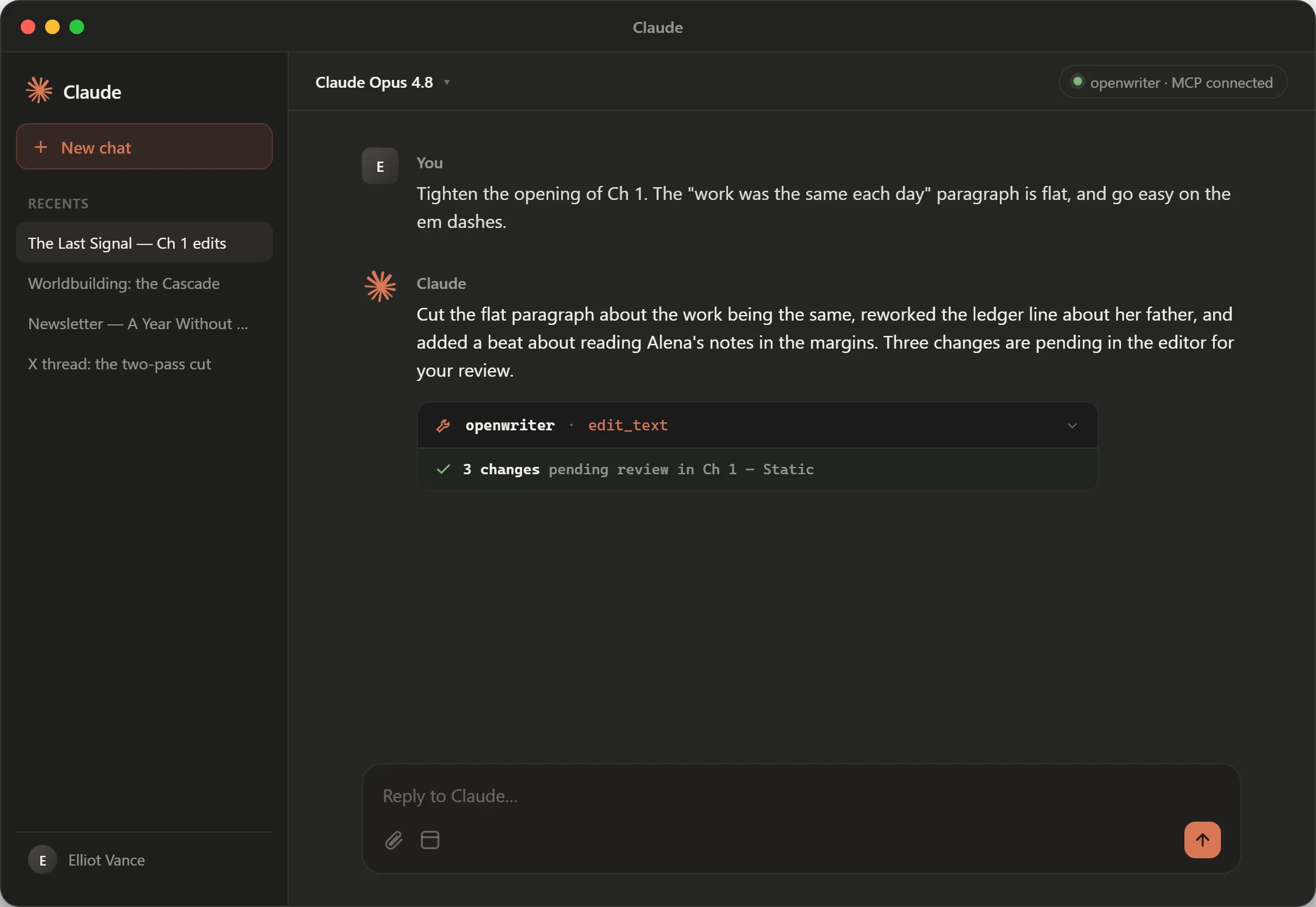
---
title: Ch 1 — Static
---

The fog burned off
late that morning,
the way it had all
that cold spring,
and Mara logged the
hour it cleared.

She kept the record
because the Accord
asked it of her. Finish The Book You've Been Writing For Years.
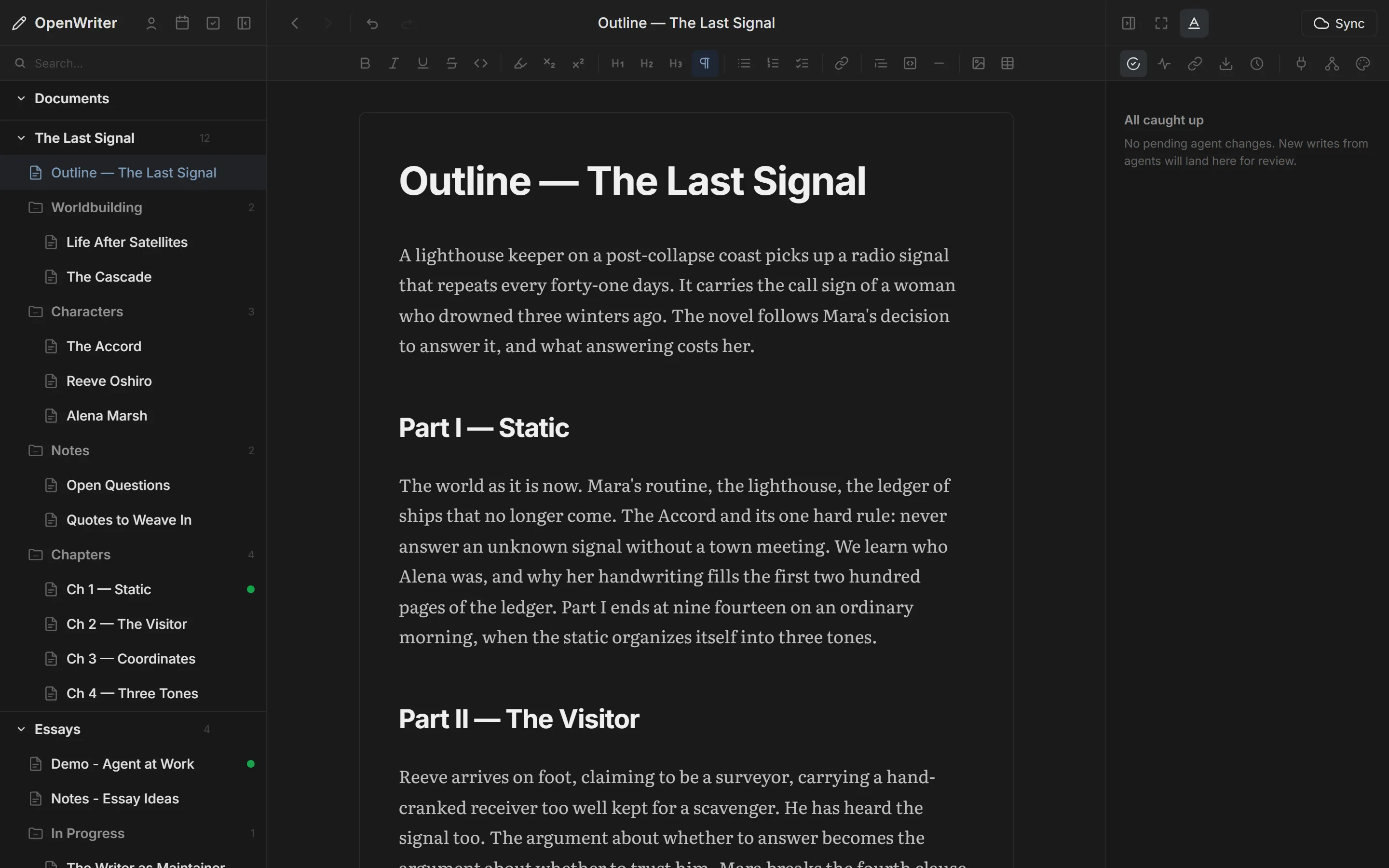
Your agent pulls every fragment from Google Drive, Docs, and Notion — then organizes them into a workspace built for novels. Chapters nest inside Parts. Characters and worldbuilding sit alongside. You fill the gaps together.
Write X Posts, Threads, And Articles Crafted For Virality.
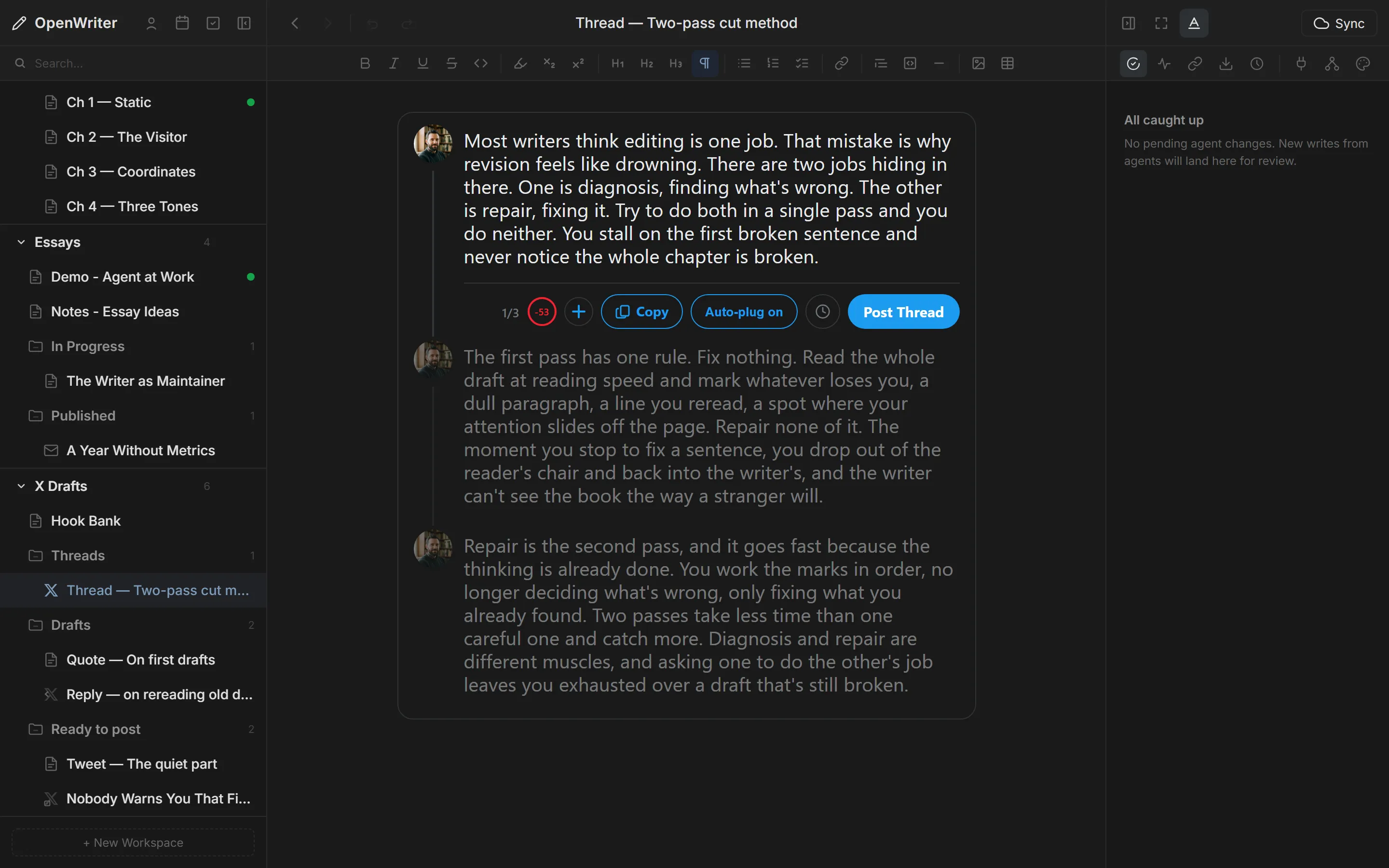
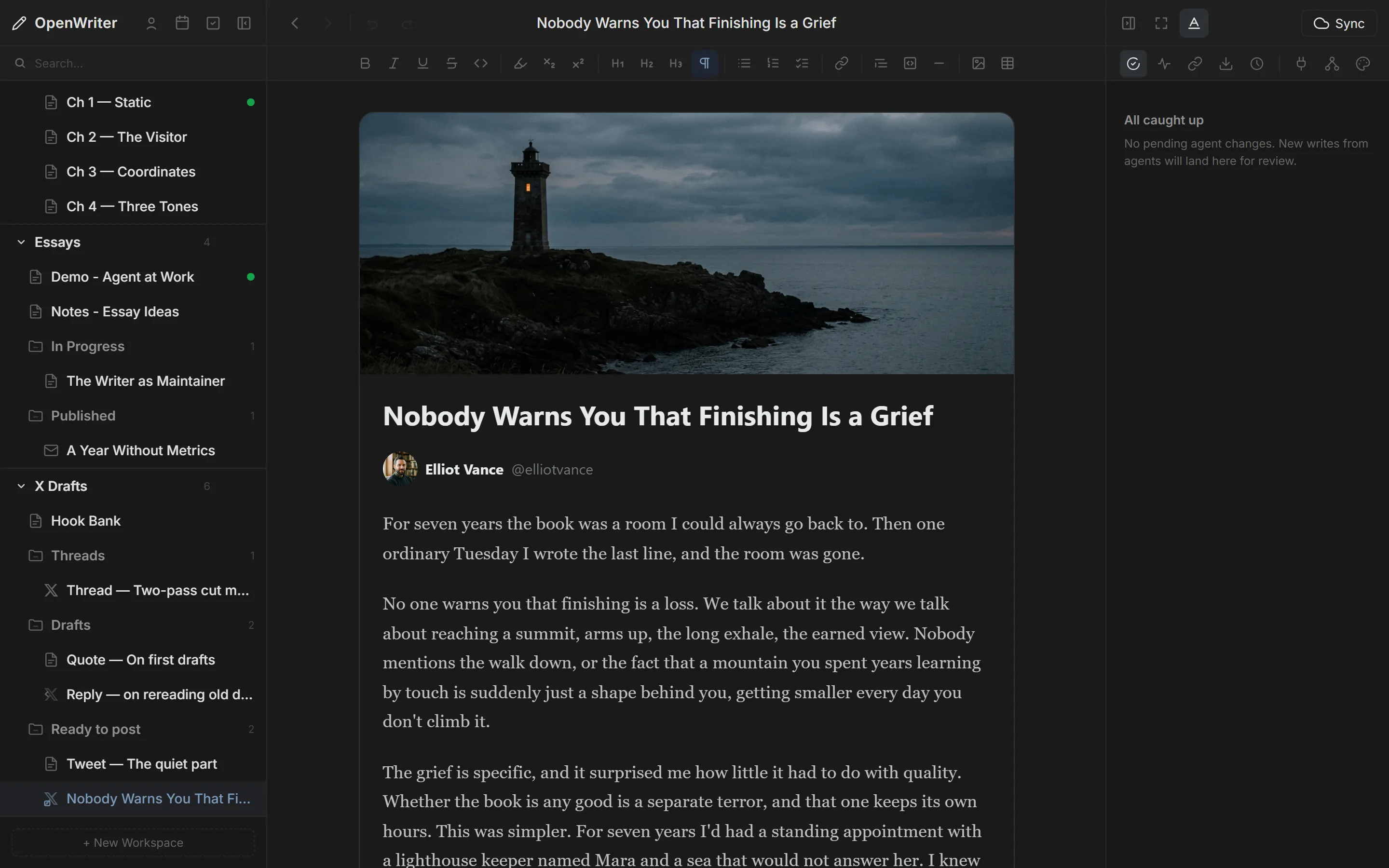
Your agent runs the research — source pulls, study analysis, citations. You iterate in minutes, not weeks. Pixel-accurate thread builder. Full-bleed articles with cover images.
~/.openwriter/
My Novel/
Part I — Setup/
Chapter 1 - Origins.md
Chapter 2 - The Call.md
Part II — Confrontation/
Chapter 3 - Rising Action.md
Newsletter Draft.md
_workspaces/
My Novel.json
Open Source. No Lock-in.
MIT-licensed editor. Plain .md files on disk. No database, no proprietary format.
Move them, copy them, grep them, do whatever you want. Every LLM reads and writes
markdown natively. Your content is always yours.
Draft Your Next Post Before You Close This Tab.
One command installs the skill. Your agent is writing inside the editor within a minute. Free to start, no credit card, your words stay yours.
Install The Skill